


Current - Mobile Banking
4.447.82K Reviews
App Specs
- Version
- 8.15.0
- Updated On
- License
- Free
- Downloads
- 5,000,000+
- Developer
- Current
- Categories
- Finance
- Platform
- Android, iOS
Screenshots
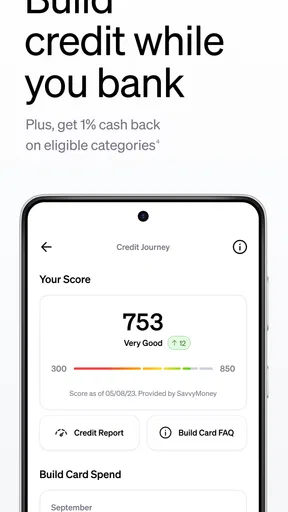

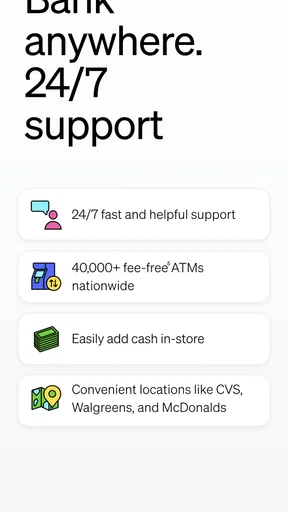
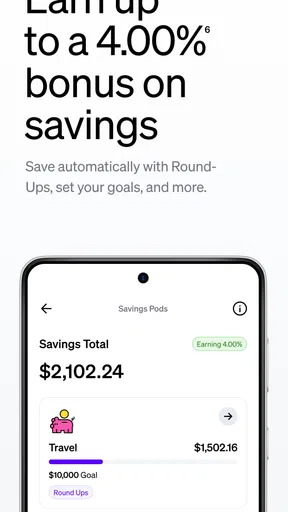
 Analysis by AppCompare
When money is shared around a household, the hardest part is often not making a payment; it is keeping track of who paid, what still needs to be covered, and which account a purchase came from. I look at Current as a personal banking app that can make those routines easier to see, rather than as a complete household budgeting system. That distinction matters: it can help one person manage their own money and coordinate expenses, but it should not be treated as a shared account or family-management tool unless its actual account options suit everyone involved.
A shared expense without a shared login
Picture a familiar week: one person buys groceries, another covers a household bill, and later someone needs to settle up for a shared meal. Current’s spending alerts and bill-splitting option can help the account holder notice activity and make a request or payment easier to organize. In my view, that is most useful when each person keeps their own account and the group agrees clearly on who owes what. It is not a replacement for deciding together how recurring costs are divided.
I would avoid passing one phone around or letting several people use the same login simply to make household finances feel shared. A banking app is tied to personal money and private account information. Keeping access personal makes it easier to identify transactions and reduces confusion about who made a change. If a household needs joint ownership, shared permissions, or a common view of balances, I would first check that the account arrangement supports those needs rather than assume a convenient interface provides them.
Setting boundaries before money moves
For a shared purchase, a simple routine can prevent small misunderstandings: agree on the amount, decide who will pay, and settle the split after the transaction appears. Notifications can help the payer confirm that a card purchase has registered, while a savings goal can keep money intended for a particular purpose mentally separate from everyday spending. I find that this kind of lightweight workflow is more practical than trying to reconstruct a week of purchases from memory.
There is a trade-off, though. A goal is helpful for motivation, but it does not automatically make every household member accountable for contributing. If two people are saving for the same repair or trip, they still need a separate agreement about each person’s share and timing. I would use the app to track my own progress, then use a clear conversation or shared record for the group plan.
Coordination works best with clear roles
The bill-splitting feature is handy for occasional shared costs, but I would not assume it handles every recurring household arrangement. Rent, utilities, groceries, and subscriptions may have different due dates and different contributors. A quick note of the agreed split, followed by a prompt settlement after payment, can be more reliable than relying on a stream of requests that nobody remembers to check.
This is where Current differs from a traditional bank app that mainly shows balances and transactions: its social and savings tools encourage action around spending, rather than just displaying account activity. Compared with a dedicated expense-sharing service, though, the banking app’s purpose is broader and the split is only one part of the experience. If a group needs detailed long-term tracking across many people, a purpose-built expense ledger may be a better companion. I would keep sensitive banking access private and share only the payment information needed to settle a cost.
Worth Reading Before You Choose

EA SPORTS FC Mobile 26 Is a Bigger Football Game, but It Takes Time

Flipboard Shows What News Apps Must Do Beyond the Feed

Switching to Android Auto Means Rethinking Your Driving Routine

Google Calendar Makes a Crowded Week Easier to Manage

Ludo King Makes the Most of the Minutes Between Plans

Baby Panda World Brings Quick Play to Modern Phones, but Its Game Library Feels Busy
Age, trust, and who should use it
Current is listed for everyone, but that age label should not be taken as a substitute for checking who can open an account, what identification is needed, or whether a particular account setup is appropriate for a younger person. For a household with teens, I would have an adult review the account terms and responsibilities with them before treating the app as a teaching tool. The useful lesson is not just how to tap through a payment; it is how to recognize a purchase, plan for upcoming costs, and ask for help when something looks wrong.
Trust also means checking transactions instead of treating alerts as proof that every charge is correct. A notification can make an unfamiliar purchase easier to spot, but the account holder still needs to review it and use the appropriate support route if there is a problem. I would recommend Current most readily to someone who wants mobile access to their own banking, appreciates visible activity, and expects to use savings goals or occasional bill splitting. Someone who needs extensive joint-account controls, a full household ledger, or a branch-based relationship may be more comfortable with a traditional bank or a dedicated budgeting service.
Have you ever dreamed of simplifying your banking needs with just a tap? Well, that dream has come true with Current - Mobile Banking. I recently downloaded the app and have been diving into its features to give you the full scoop. Let’s break it down.
Getting Started with Current
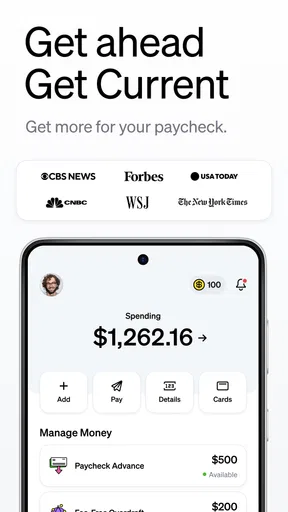
First things first, setting up Current was a breeze. You just download the app, sign up with your basic info, and you’re good to go. It’s like having a bank in your pocket without the hassle of paperwork or long waits at a branch. What caught my attention is the sleek and modern design. It’s intuitive and easy to navigate, even for those who might not be the most tech-savvy.
Features That Stand Out
Now, let’s talk features. One of the standout aspects of Current is its ability to offer instant spending notifications. Imagine making a purchase and getting a real-time alert. It’s like having a personal assistant keeping tabs on your spending. Plus, there’s no more waiting for transactions to show up in your account.
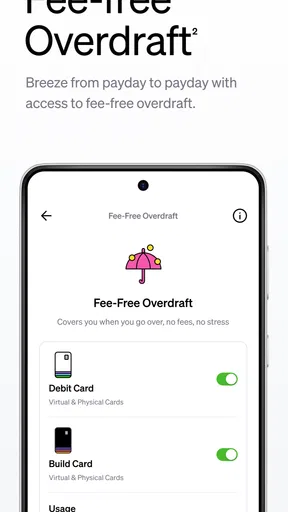
And here’s a cool feature: the app offers fee-free overdraft up to a certain limit if you have direct deposits. This is a lifesaver for those unexpected moments when you’re a bit short on cash. But remember, it’s always best to use this feature wisely!
Money Management Made Easy
Budgeting can be a pain, but Current makes it simpler with its built-in savings goals. You can set aside money for specific targets, like a vacation or an emergency fund, and watch your progress in real-time. The visual aspect makes saving fun and rewarding.
Also, the app allows you to deposit checks with just a snap of a photo. I tried it, and it works seamlessly. It’s like having a bank teller available 24/7, minus the awkward small talk.
Security and Support
Security is a big deal when it comes to mobile banking. Current doesn’t disappoint. The app uses advanced security features like two-factor authentication and facial recognition. It gives you peace of mind knowing your money and personal information are safe.
If you ever run into issues, their customer support is just a message away. I had a few questions about setting up my savings goals, and their response was quick and helpful. It’s nice knowing that support is just a tap away.
The Social Aspect
Here’s something fun: Current allows you to split bills with friends seamlessly. Gone are the days of awkward Venmo or PayPal requests. Just a few taps, and you can settle debts or share expenses effortlessly.
Whether it’s dinner with friends or a shared vacation, this feature makes managing shared expenses a breeze. It’s a small feature, but it makes a big difference in everyday life.
Everyday trade-offs to consider
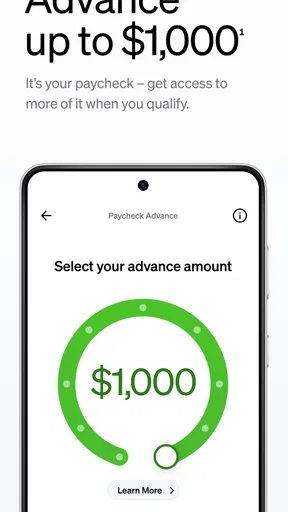
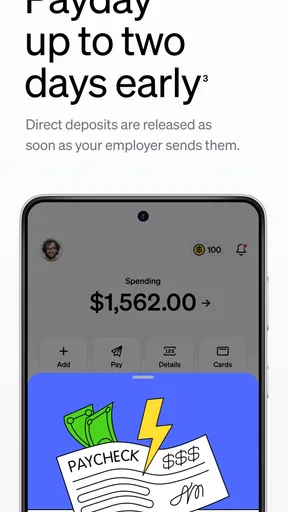
Early access to pay can be useful when timing is tight, but I would not build a household budget around money arriving early. Pay schedules and bills still need careful planning, and an early deposit should be treated as a timing convenience rather than extra income. The same caution applies to overdraft: it may soften a short-term cash gap for eligible direct-deposit users, but it is not a substitute for keeping a small buffer or adjusting spending before the next bill arrives.
Mobile check deposit can also change the way a household handles occasional paper payments. Instead of making a branch trip, I can submit a check through the app, but I would still keep the check and make sure the deposit is accepted before relying on those funds for a time-sensitive expense. For shared finances, tell the other person that a check is being deposited so they do not count the same money twice in a household plan.
Choosing the right setup for your routine
Current is free to download, and its finance focus is apparent in the combination of account activity, savings goals, check deposit, and social payments. It is developed by Current, has an average rating of 4.5 from around 178,000 ratings, and has been installed over 5 million times. Those figures suggest broad use, but they cannot tell me whether the app fits a particular household’s account needs. I would make that decision based on the way you handle deposits, shared costs, and support—not popularity alone.
The app is available in version 8.9.0 and requires Android 8.0 or later. It was released on May 5, 2017, and its content rating is Everyone. Before relying on any mobile bank for a major household change, I would check the current account terms and confirm that the relevant features suit your situation. That is especially important if you are setting up banking for someone else or expect several people to coordinate around one balance.
A practical test is to use it for one ordinary cycle before moving every routine over: check how quickly you recognize purchases, whether the savings goal is easy to maintain, and whether bill splitting actually reduces follow-up messages. If those steps feel natural, the app may fit your habits. If you find yourself keeping a second spreadsheet to explain who owns which money, a different account arrangement or a dedicated household budget tool may save more effort.
The household verdict
Overall, Current - Mobile Banking is a robust app that makes managing finances straightforward and even enjoyable. Its user-friendly interface, combined with real-time updates and robust security features, makes it a top choice for anyone looking to modernize their banking experience.
If you’re tired of traditional banking hassles and want an app that fits your lifestyle, give Current a try. It’s like having a bank in your pocket, minus the long lines and paperwork. Trust me, once you try it, you’ll wonder how you ever managed without it!
Pros
- User-friendly interface with intuitive navigation.
- Real-time transaction notifications.
- Robust security features and encryption.
- Wide range of banking services available.
- Seamless integration with digital wallets.
Cons
- Limited customer support options.
- Occasional app crashes reported.
- Some features require premium access.
- Account setup can be time-consuming.
- Not all banks are supported.
FAQs for Current - Mobile Banking
What are the main features of Current Mobile Banking?
Current Mobile Banking offers a range of features including real-time notifications for transactions, budgeting tools, and customizable savings pods. Users can also benefit from early direct deposits, no hidden fees, and a user-friendly interface. Additionally, it supports mobile check deposits and peer-to-peer payments, making it a comprehensive financial management tool.
Is Current Mobile Banking safe to use?
Yes, Current Mobile Banking implements robust security measures to protect user data. It uses encryption technologies, biometric login options, and two-factor authentication to ensure that your financial information remains secure. Additionally, the app is FDIC insured, providing an extra layer of protection for your funds.
Can I access Current Mobile Banking without an internet connection?
No, an internet connection is required to access Current Mobile Banking. This is necessary to ensure that transactions and data are updated in real-time. However, you can still view previously loaded data, such as recent transactions and account balances, when offline.
Are there any fees associated with Current Mobile Banking?
Current Mobile Banking prides itself on transparency and minimal fees. There are no monthly maintenance fees or overdraft fees. However, users should be aware of potential fees for out-of-network ATM withdrawals and international transactions, which are common among mobile banking applications.
How do I contact customer support for Current Mobile Banking?
Current Mobile Banking provides multiple customer support options. Users can access support via in-app chat for immediate assistance or through email for more detailed inquiries. Additionally, there is a comprehensive FAQ section within the app that addresses common issues and questions, ensuring users have all the help they need.


